STOP LOSING MONEY when building an app or service
Before building anything, check that someone wants to pay for it. These are the ten steps I follow to validate an idea without spending any money.
Most apps die the same way: months of building, launch day, and nobody paying for it. Your money and your time went into something nobody had asked for.
You can do it the other way round. Sell first, build later. And if it does not sell, you do not build, which is also good news.
I will show you with an example: Miga Café, specialty coffee delivered to your home every month (Miga Café does not exist, it is just an example!!!)
Index
1. Build a landing page with a buy button
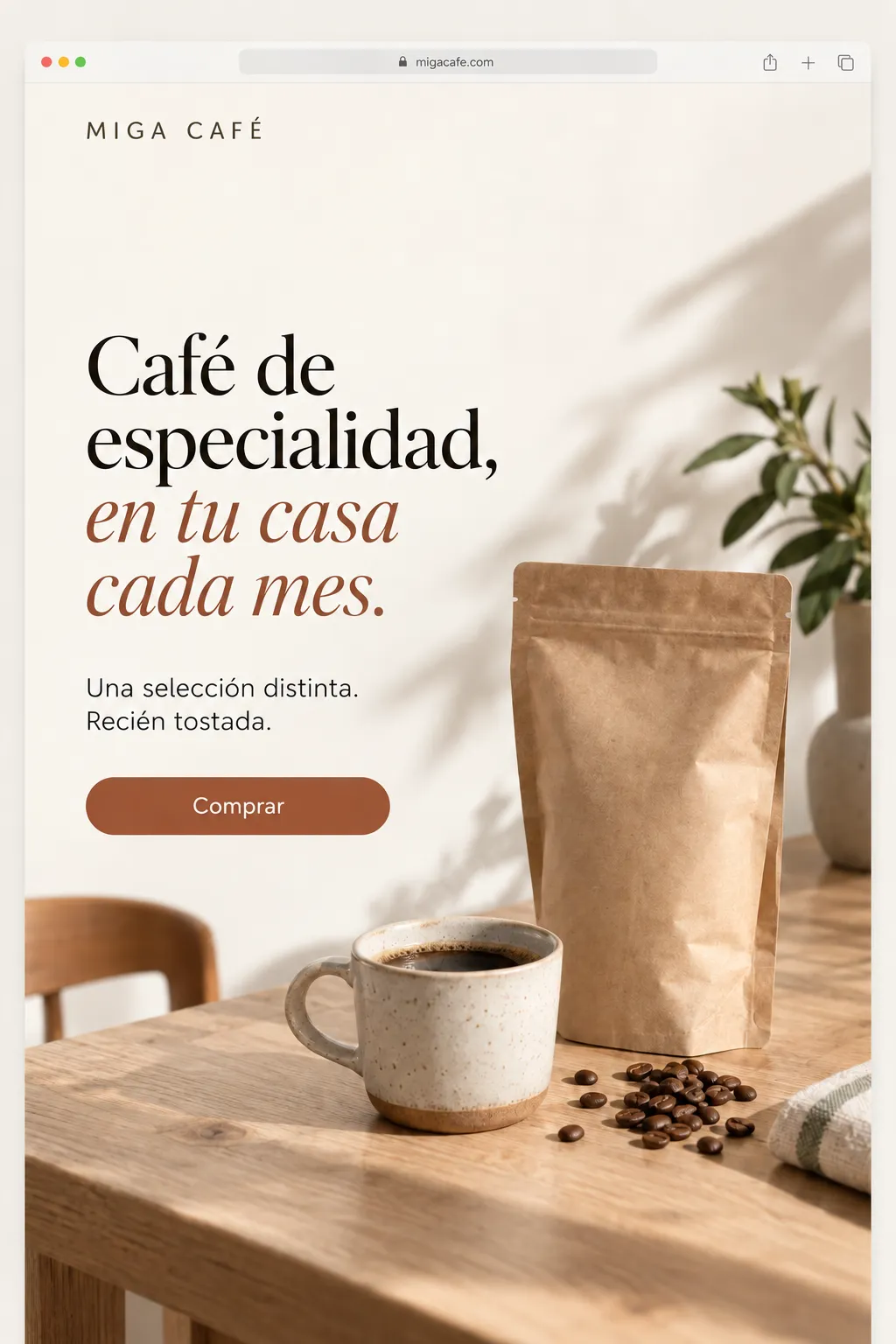
A landing page is basically a single page where you explain what the product or service is about. At the top, what problem you solve and for whom, in one sentence. Below, how you solve it, what it includes and how much it costs. And a button that says «Buy», or «Contact». A CTA (Call To Action). Something the customer has to click to get more information.
The product does not need to exist: the page needs to explain well what it is going to be.
2. The form: «not available yet»
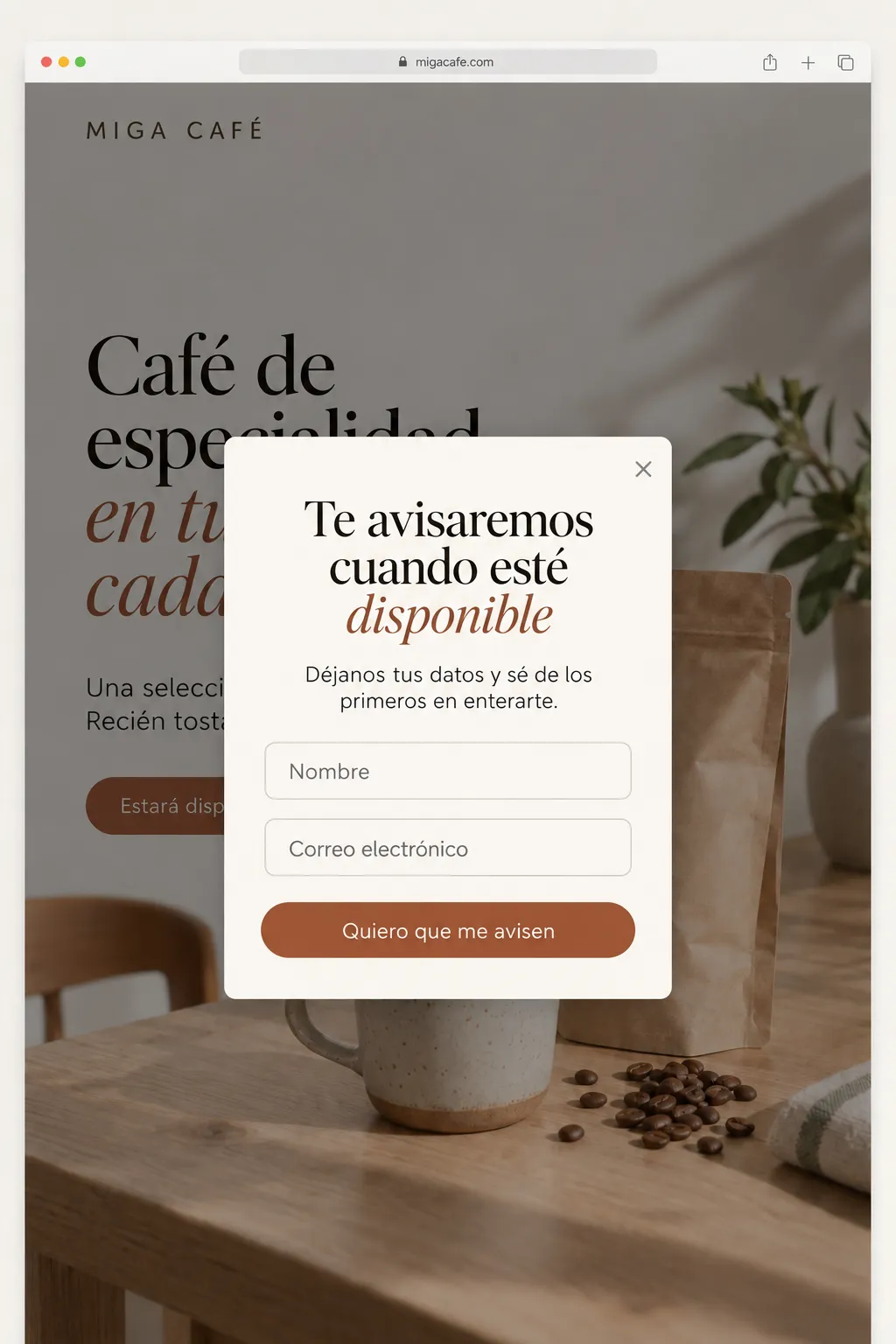
Clicking «Buy» opens a form with two fields: name and email. Above it, a clear line: the product is not available yet, leave your email and we will let you know as soon as it is out.
You can tell them it is not available in their area yet, but that you are working to have it as soon as possible. If it is a gym or an online academy, you can write "opening soon".
The person knows they have not bought anything and still leaves their email. That is already data: someone reached the pay or contact button, saw they could not, and wanted to be told anyway.
3. The offer: cheaper if you sign up today
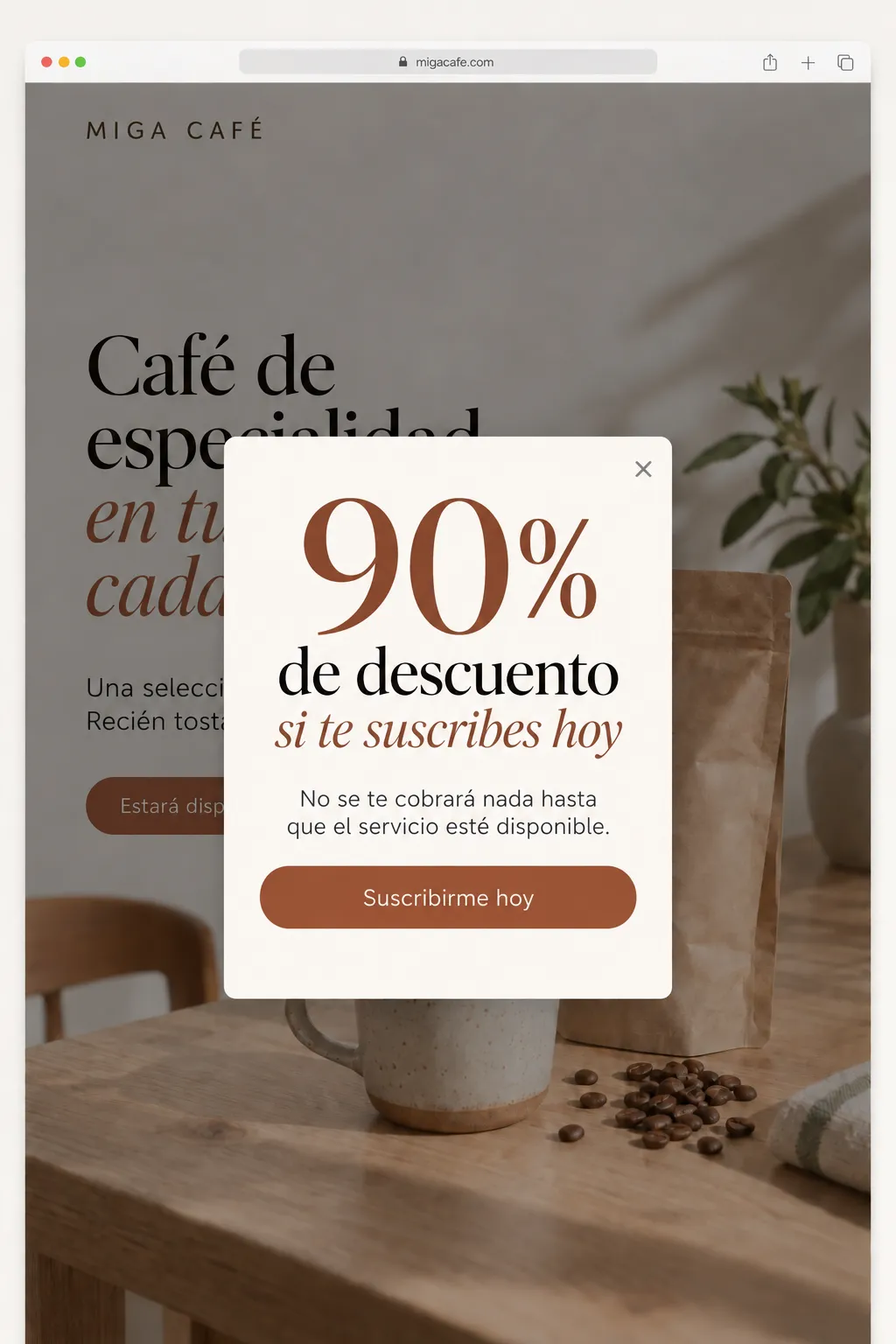
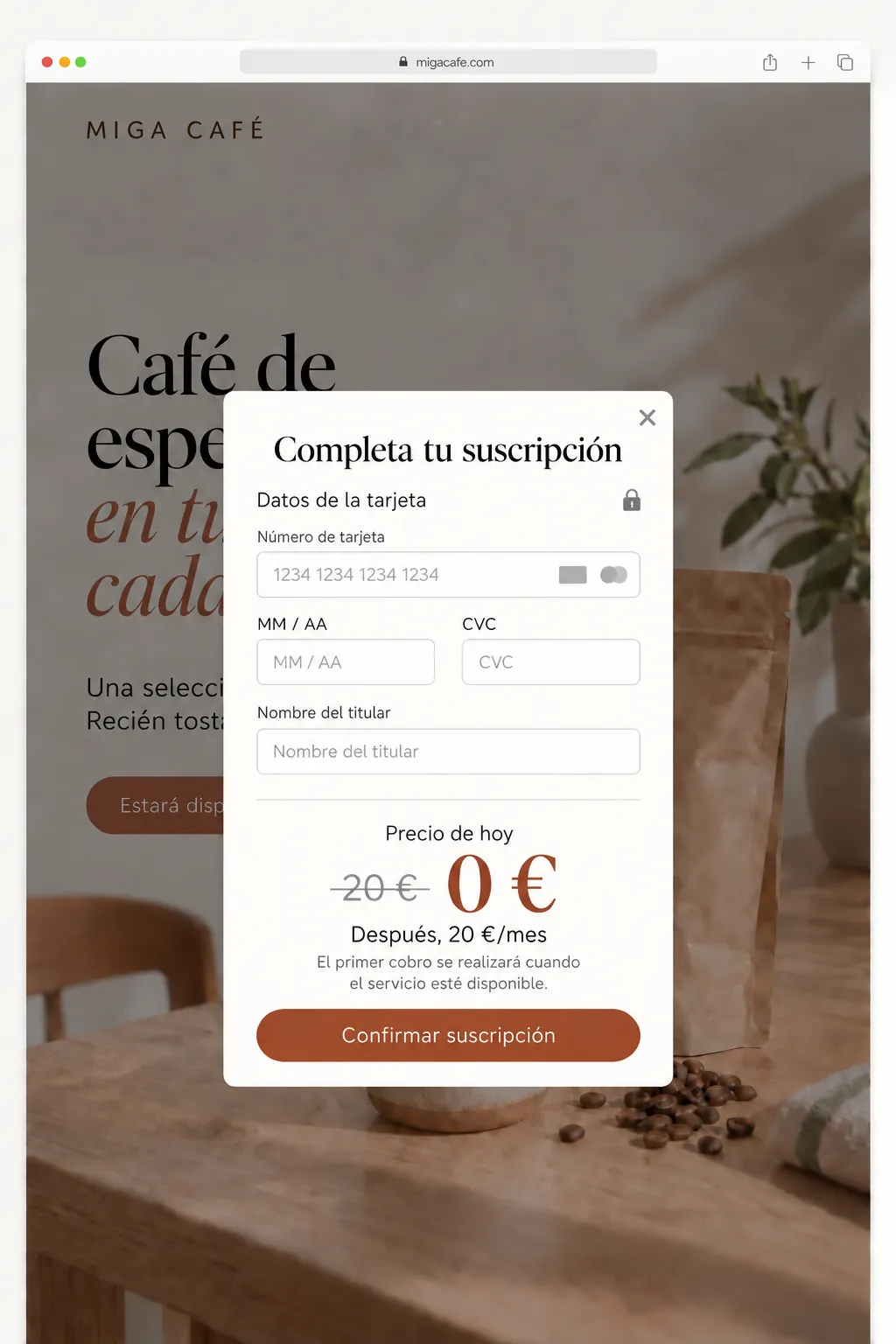
When they submit the form, instead of a «thank you» they get the offer: sign up today and it is X% cheaper. The regular price will be Y. To lock that price, they leave their card.
- Today they are charged 0 €. The card is saved, not charged. In Stripe this is a subscription with a trial until launch day.
- Nothing activates until the product is available. If it never ships, it is never charged.
- They get a heads-up one week before the charge, with a one-click cancel link.
All of this has to be written on the page, next to the button, not in the fine print. If someone leaves their card knowing the terms, you have the most valuable thing you can have before building: a customer. An email says «I am interested». A card says «I will pay».
This is key because it tells you whether, besides liking the idea, people are willing to pay for it. Imagine you are building something like WhatsApp, and then people, even though they love your product, will not pay even 1€.
4. Add analytics
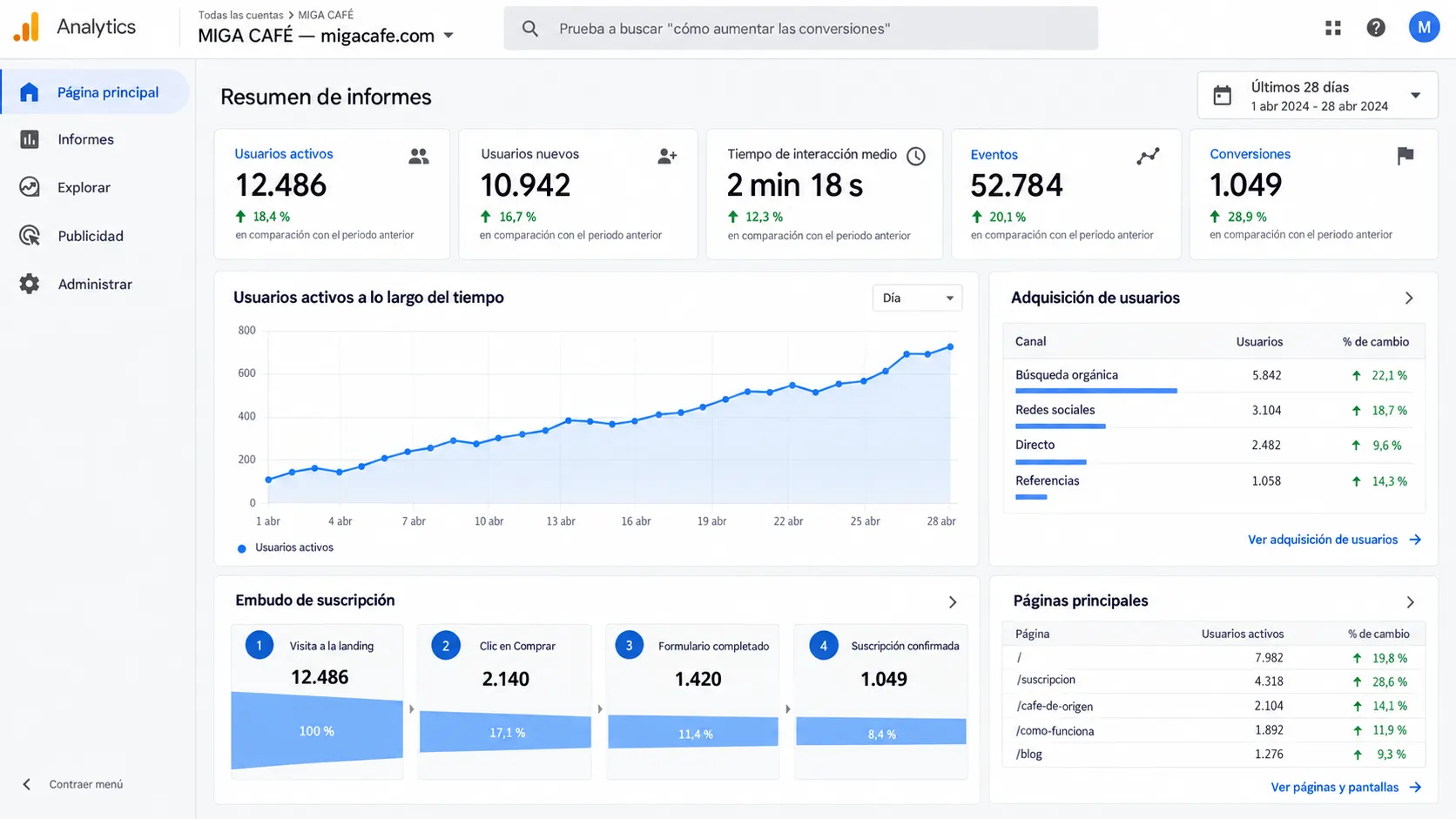
Google Analytics, PostHog or whatever you use. What matters are four numbers, and you need to see them separately:
- How many people land on the page.
- How many click «Buy».
- How many leave their email.
- How many leave their card.
Track each step as an event and tag your links with their source (which network each visit comes from). Without this the experiment is useless, because at the end you will not know whether it went well or badly.
5. Create a profile on every network
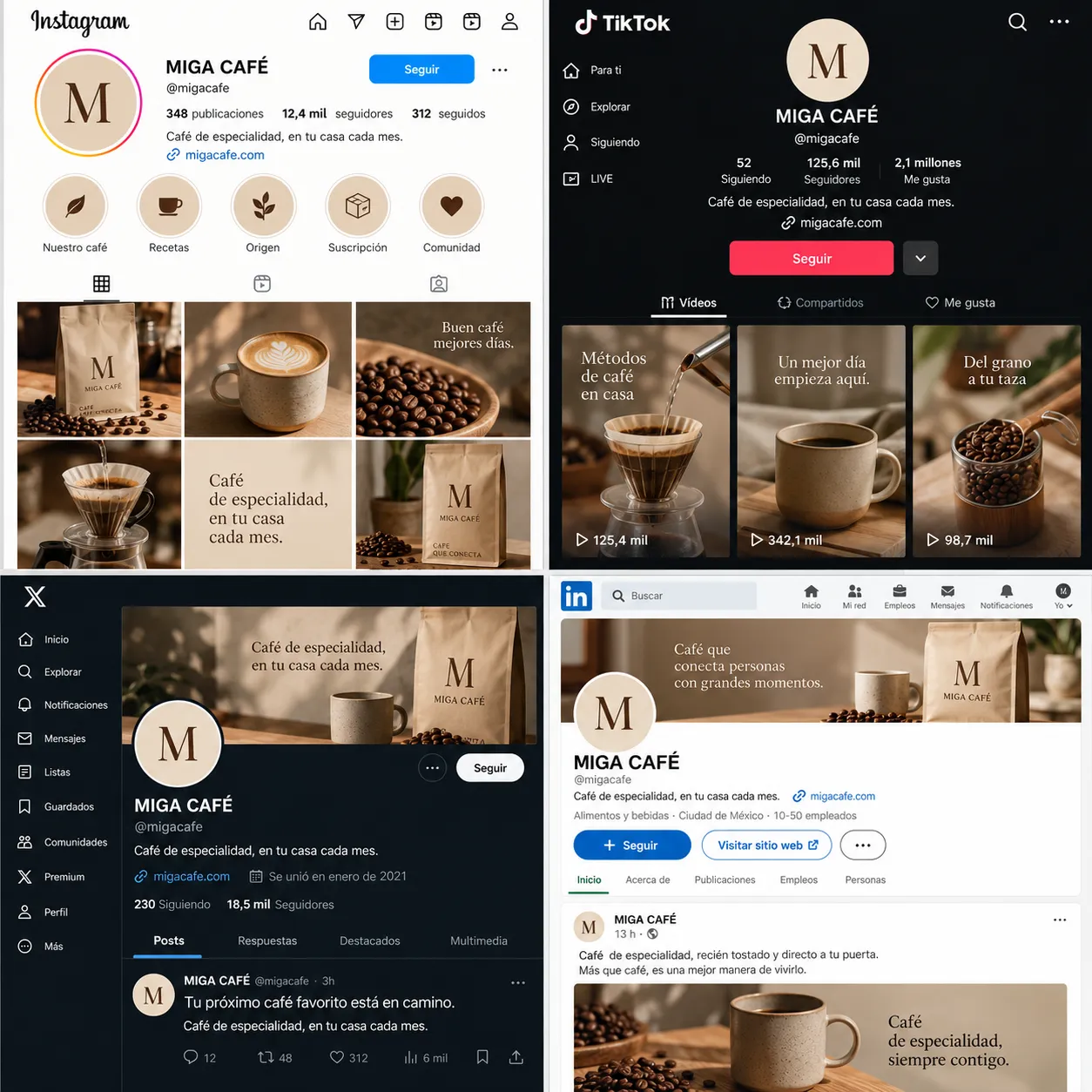
Instagram, TikTok, X, Threads, LinkedIn and YouTube. With the product name, the same on all of them if it is free, and the same picture.
The more social networks, the better, because in the end you are going to create content and spread it to bring in visits.
6. The link, in every bio
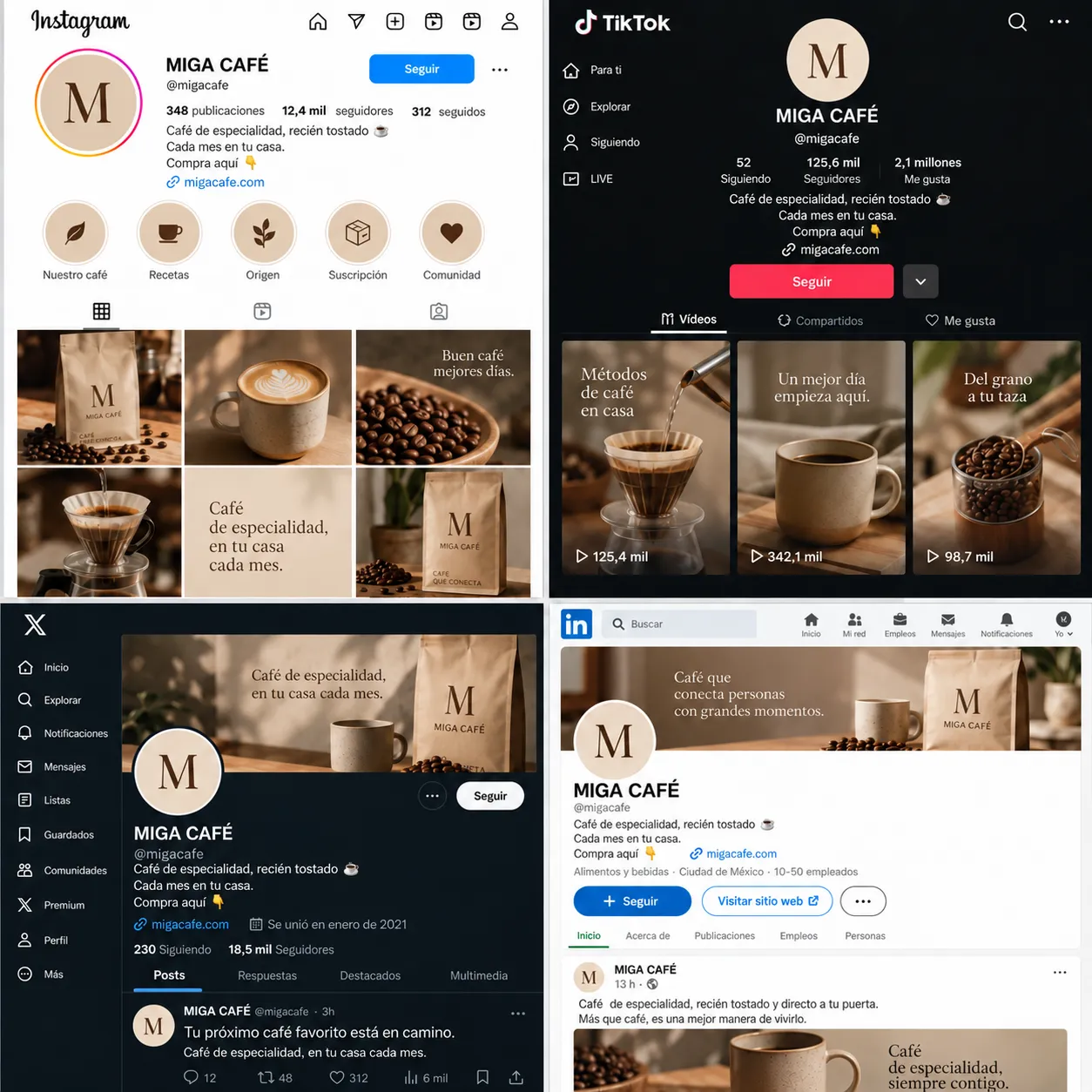
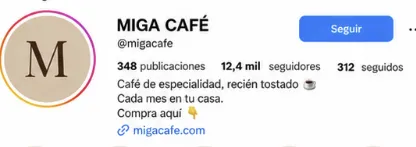
The landing page link goes in the bio of every profile. One per network, each tagged with its source, so the analytics can later tell you which network brings people and which one only brings likes.
7. Viral content about the problem
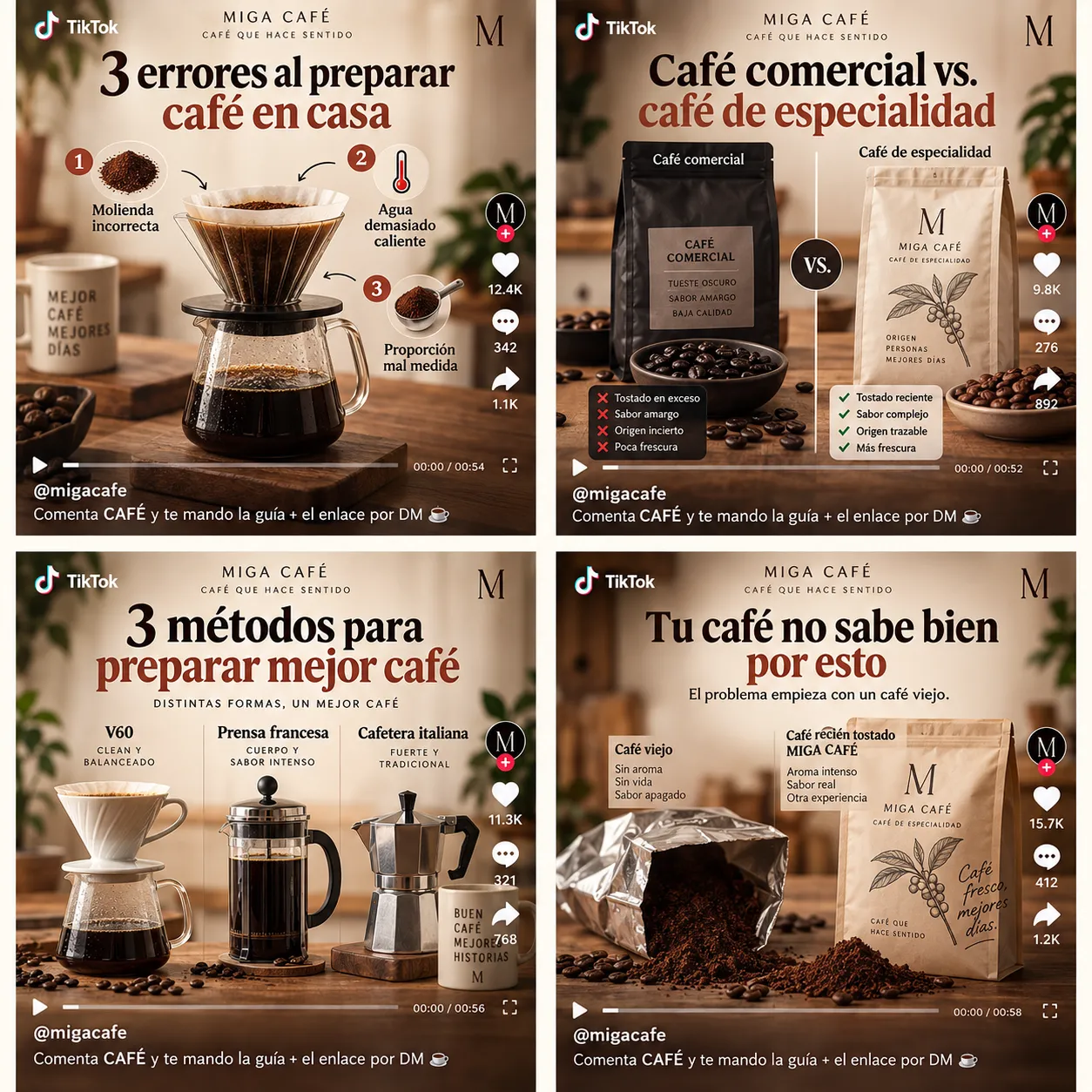
The content is about the problem you solve, not about your product. It is that simple: you talk about the problem, make viral content on that topic and post it on every social network, not just one.
You have several options. Try them all and keep the one that hooks:
- The mistakes: «3 mistakes when making coffee at home». Everyone likes finding out they were doing it wrong.
- The comparison: «Commercial coffee vs. specialty coffee». What they use now against what they could use, side by side.
- The tutorial: «3 methods to make better coffee». You give them something useful for free and they save it.
- The cause: «This is why your coffee tastes bad». You name what bothers them and explain where it comes from.
Nobody cares about your app. Everybody cares about their problem. Whoever relates to the video is exactly the person you want on your landing page, and in the comments they are also telling you how they describe that problem in their own words. Those words go on the landing page later.
8. «Comment X and I will DM it to you»
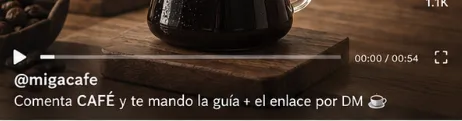
At the end of every post: «Comment COFFEE and I will DM you the guide and the link». One short word related to the topic, and better if you give something besides the link, like a short guide.
It works for two reasons. Every comment pushes the post to more people. And the link arrives as a private message, which gets opened far more than a link in the bio. Automate it with ManyChat or similar, because if it works you will not keep up by hand.
This way you have people landing on your website through the link. You can write the guide on the website itself, and send traffic to it that way. Others will not comment, but they might visit your profile. That is where they will see the website and, the most curious ones, will click through.
In the end it is all about bringing attention and traffic to your website.
9. Read the data and decide
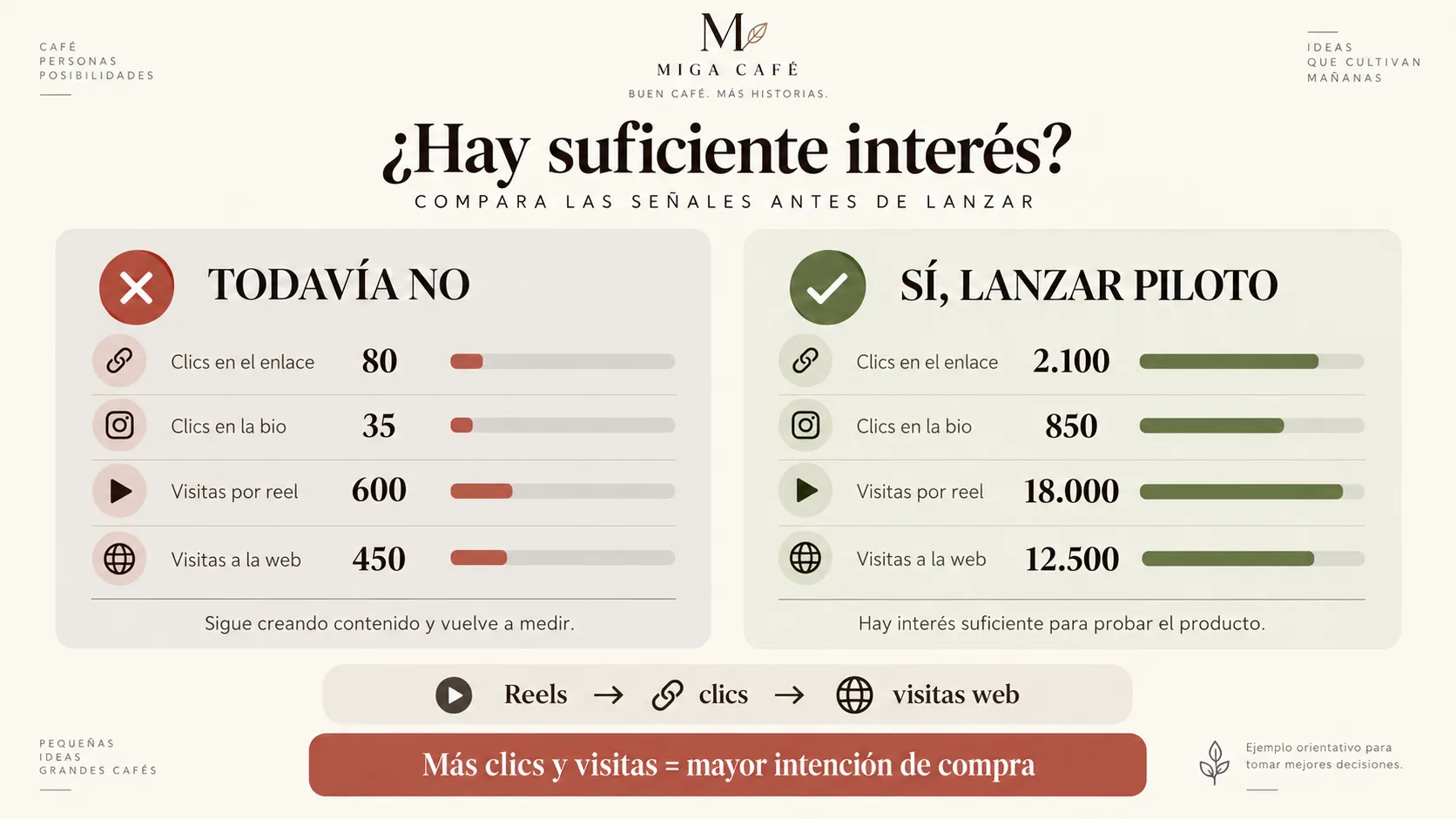
After a few weeks of posting, open the analytics and look at the whole funnel. There is only one question: is it worth building or not?
Start at the top: views per video, bio clicks, link clicks and website visits. If those do not move, there is no need to look further down. If they do, move on to emails and cards:
- Lots of visits and few emails: the problem is interesting, but the landing page does not convince. Change the copy or the price and measure again before deciding anything.
- Lots of emails and no cards: people think it is a good idea, but they would not pay for it. This is the most dangerous signal, because it looks like a yes.
- Saved cards: some people have already said they will pay. This is a yes.
- Nothing at all: either the problem does not hurt, or you have not reached the people it hurts. Either way, you just saved months.
Decide before you start how many leads (interested people) you need before you start building it, and write it down. If you decide after seeing the data, you will always talk yourself into a yes.
10. Build it without starting from zero
If it is worth it, now you build it. But you are no longer launching into the void. You have:
- Subscriptions with a saved card, which activate the day you open.
- An email list of people who asked to be told.
- Profiles on every network with followers who have spent weeks watching content about the problem.
- Data on which network, which message and which price work.
With that list you send the one-week heads-up, the updates while you build and the first campaign on launch day. It makes money on day one.
Summary
- Landing page with the problem, the solution and a «Buy» button.
- Name and email form: not available yet.
- Discount offer and saved card, 0 € today, heads-up one week before.
- Analytics on every step of the funnel.
- A profile on every network.
- The landing page link in every bio.
- Content about the problem.
- «Comment X» and the link by DM.
- The data decides whether it gets built.
- If yes, you build with customers already waiting.