Gradients, Lucide icons, three cards in a row, em dashes and made-up testimonials. Tick the ones your site has, see your score and take the prompt that avoids all of them.
The prompt so your agent designs without AI slop (without it showing that AI made it).
Open your site in another tab and tick the ones you DO have right. Every ticked box is a sign you've got rid of, so 30 out of 30 is the best score.
Your score updates at the bottom as you go.
1. The checklist
0/30Factory default. It's exactly as the model left it. Paste the prompt at the end and run the list again.
2. Colour
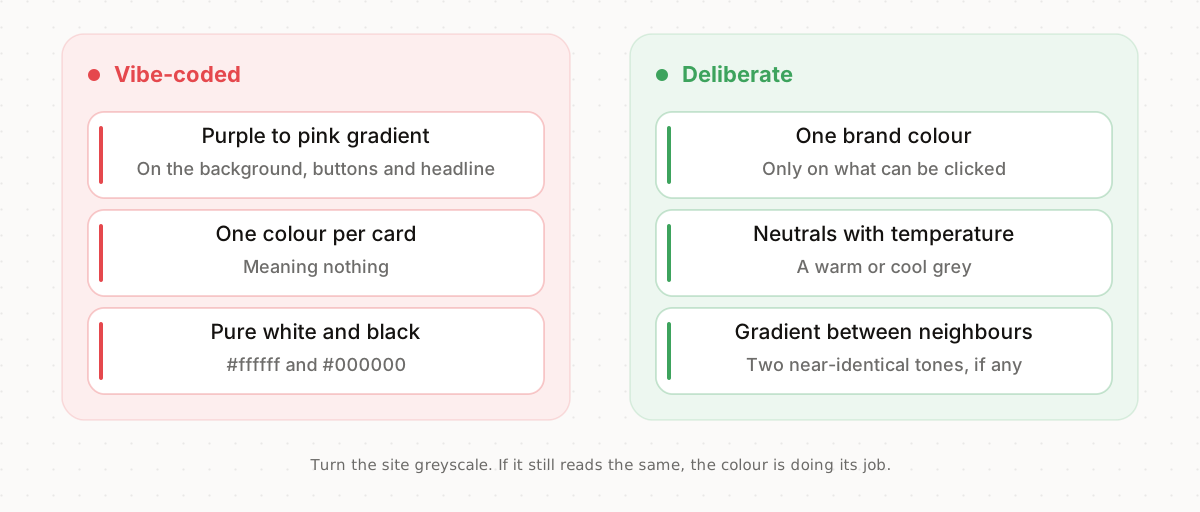
The default palette and one somebody actually chose
Pick one brand colour and give it a single job: buttons and anything clickable. Everything else, neutrals with a touch of warmth or coolness, never pure white and black. If you want a gradient, keep it between two neighbouring tones so it barely shows.
A quick test: turn the site greyscale. If it still reads the same, the colour is well used.
3. Type and icons
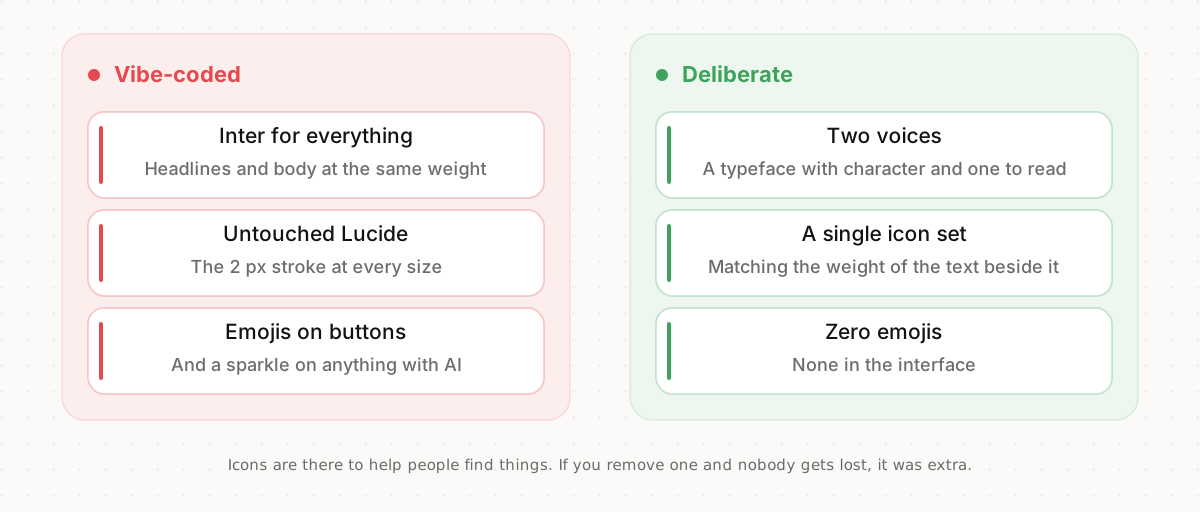
One typeface and an untouched icon set, against two voices and a chosen set
A typeface with character for headlines and a comfortable one for reading, or a single family with very different weights. Inter works (this site uses it), but paired with another that gives it a voice. On its own, at the default weight, it's the typeface of every demo.
Icons from a single set, at the same weight as the text beside them, and only where they help people find something. Emojis in the interface, none.
4. Layout
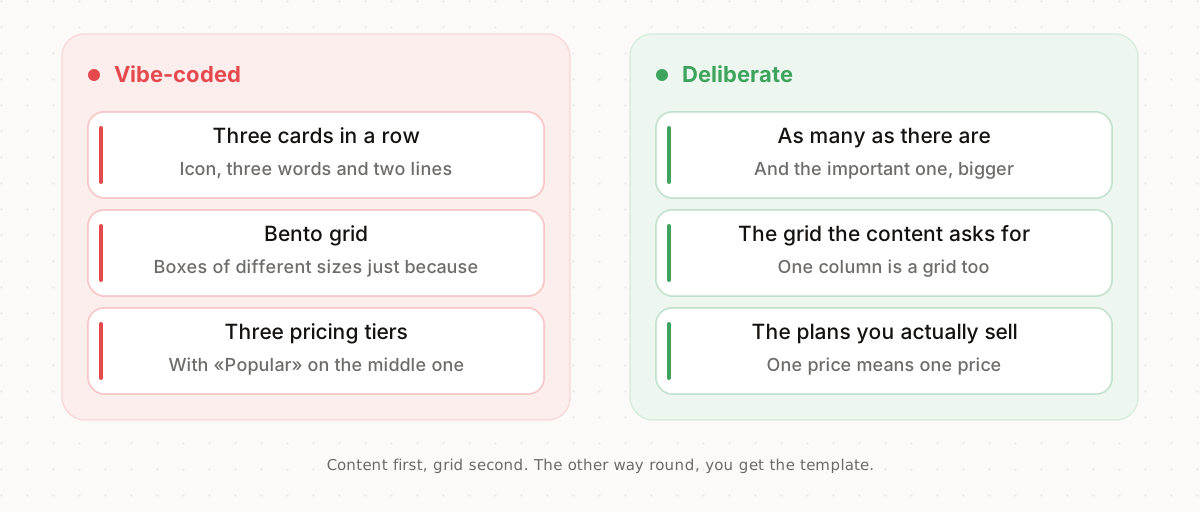
The grid chosen before the content, and the other way round
Before choosing the grid, look at how much content you really have. If you have two benefits, that's two. If one matters more, make it bigger. Cards only when they can be clicked or compared, and pricing with the plans you actually sell, not one more.
A terminal on the site only if your audience uses one. And checkmarks for things that really get ticked off, like what a plan includes.
5. Effects
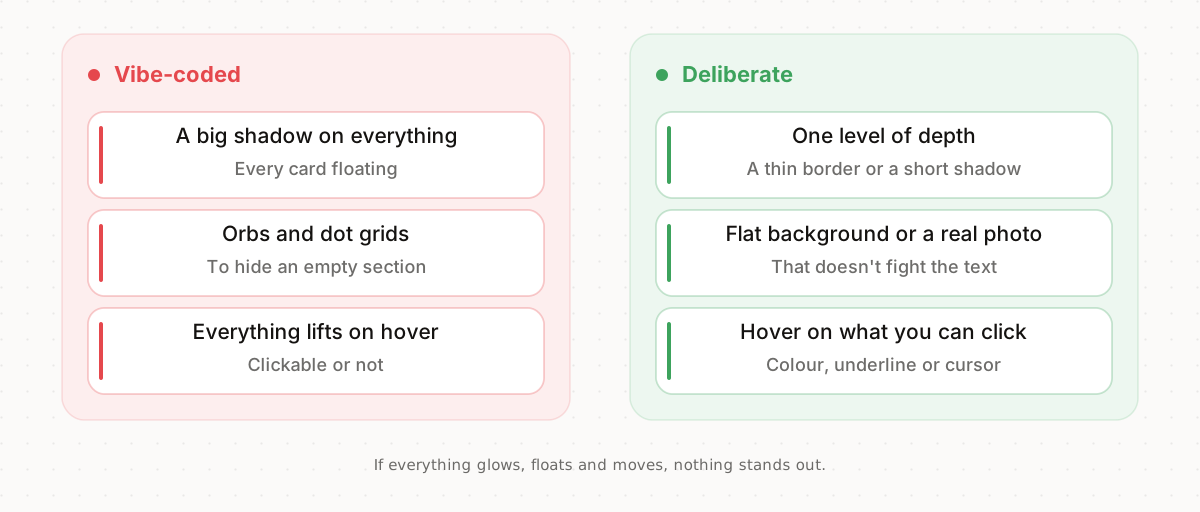
Effects as filler and effects that say something
Choose one level of depth and repeat it: a thin border or a short shadow, not both everywhere. One radius for small things and another for large ones. Backgrounds flat or with a real photo. Orbs and dots are usually there to hide that the section is empty.
Hover only on what can be clicked, and have it change something useful: the colour, the underline, the cursor. If everything moves, nothing stands out.
6. Copy
The model's verbal tics and copy a person would write
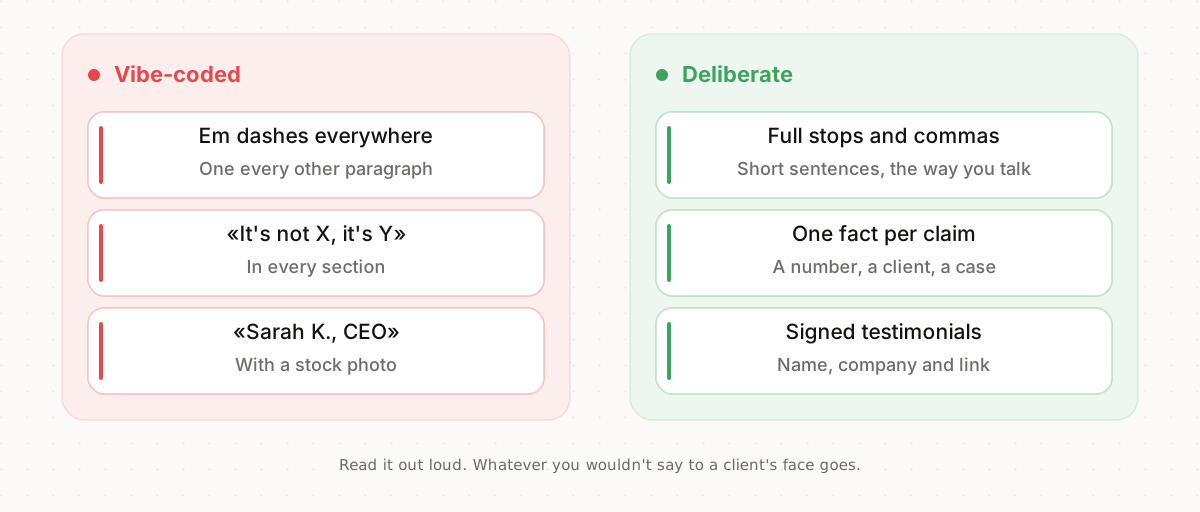
Write the way you talk. Short sentences, full stops and commas, and every claim backed by a fact of yours: a number, a client, a case. A testimonial you can't sign with a name and a company goes.
A trick: read the copy out loud. Whatever you'd never say to a client in person is extra.
7. Product and trust
A site that promises and a site that shows
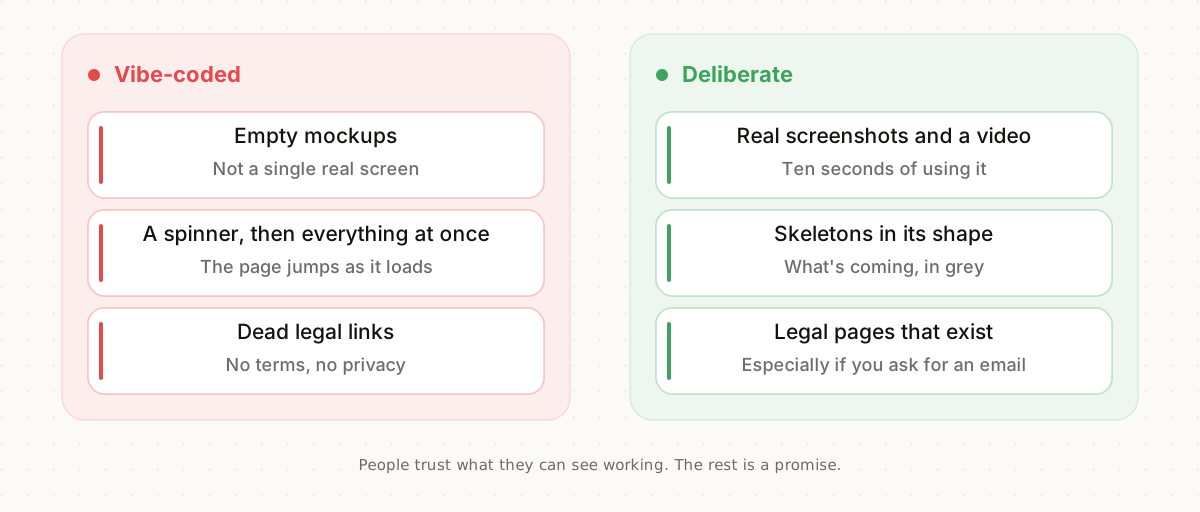
Show the product: a real screenshot, a ten-second video of it in use, a demo people can touch. While it loads, the skeleton of what's coming, in the same shape.
And in the footer, terms and a privacy policy that exist. If you ask for an email or charge for anything, they aren't optional.
8. The prompt to avoid them
This prompt turns the 30 signs into rules for your agent: what to use in each group, what not to use by name, and a final check against the list before it hands anything over. Fill in the brackets with your product and your brand.
26 or more and you're fine. If you're below that, start with the group with the most unticked boxes, fix it and run the list again. To get it right from the start, there are six things so your AI-built site doesn't look AI-built.